Current Mini-Rack
Currently I have this 10" rack setup in my office with one Radxa X4 SBC running a Kubernetes control plane.
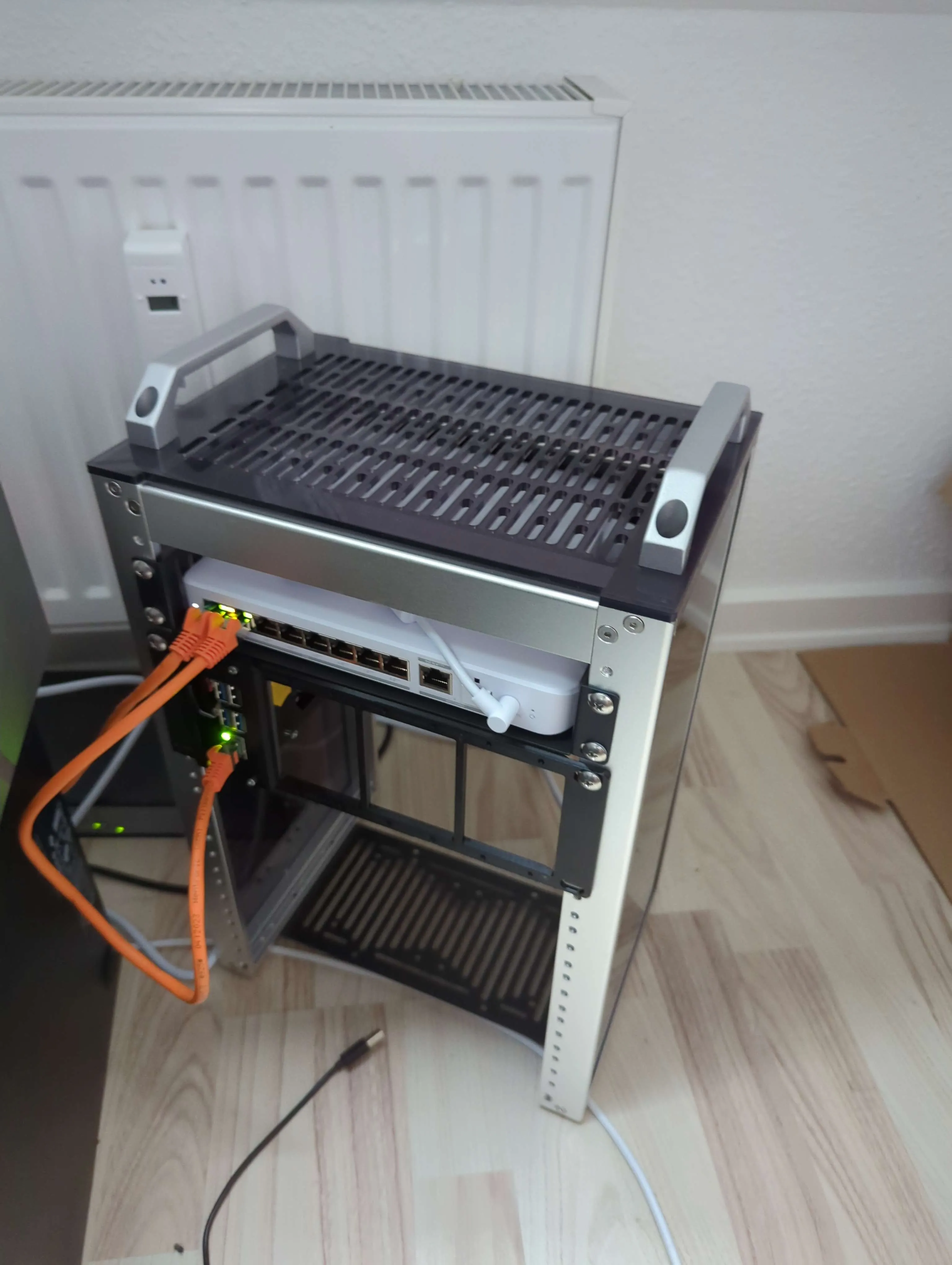
The Radxa is connected to my Unifi Flex 2.5G PoE Switch and powered through PoE using the PoE hat. Currently I only have a single Radxa, but I have another in transit to use as a kubernetes worker node.
In the future I would like to expand the cluster to eight nodes total, to support High Availability, but also to run more demanding workloads.
Radxa X4 Specs
The Radxa X4 (and all my future Radxa X4's) have the following specs:
- CPU: Intel® N100
- Cores/Threads: 4/4
- Max Turbo Frequency: 3.4 GHz
- Intel® Virtualization Technology (VT-x)
- RAM: 16GB LPDDR5
- NVMe: Corsair MP600 Mini 1TB
- 25W PoE hat
- Official Radxa X4 heatsink
Some of the most important features is it's 16GB RAM and it's support of VT-x, which means i can run some more demanding workloads using more RAM. It also meant that i could run virtualization technologies on my cluster such as Proxmox VE (which i did before i installed K8s).
Why I choose Kubernetes
I choose Kubernetes as I had experience managing clusters through work, but also because i thought i could use more Infrastructure-as-Code or IaC instead of managing every device manually which has become tedious as i have this list of other hardware:
- QNAP Nas: primary storage
- 2x 4TB WD Red Pro
- 2x 1TB Seagate Nas drives
- 2x 2TB Crucial MX500
- 2x random ssds i had lying around (used for caching)
- Other Nas (large tower to the left):
- 5x 4TB WD Red Pro
- Intel i7-7700K
- 16GB DDR4 RAM
- UnRaid
- HP device 1
- 1x 256GB ssd
- Intel i7-6700
- 32GB DDR4 RAM
- Proxmox
- HP device 2
- 1x 1TB hdd
- Intel i7-6700
- 32GB DDR4 RAM
- Proxmox
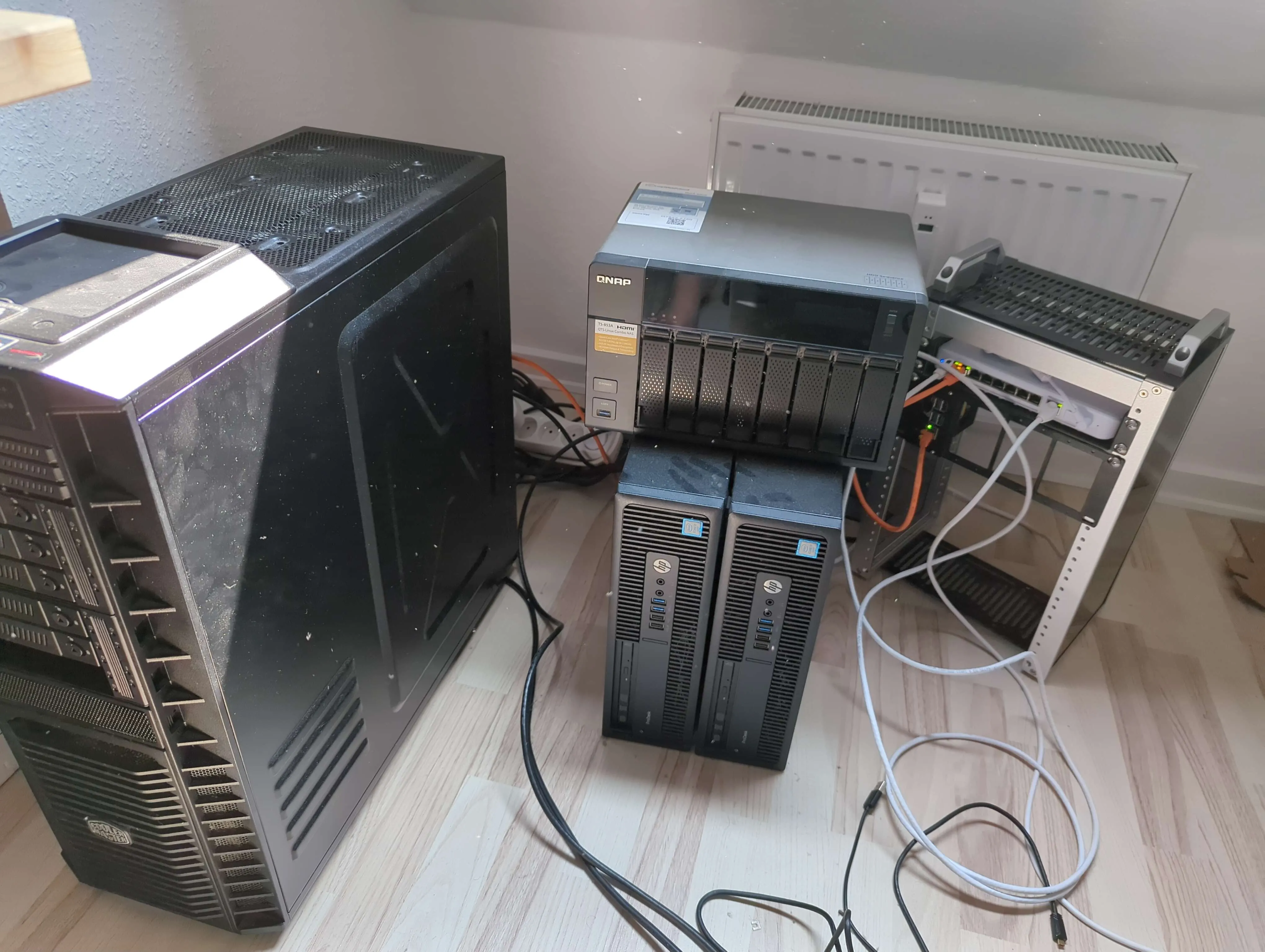
I'm running about 30 LXC containers and three docker hosts with a lot of services on the two proxmox hosts. I'm also running Syncthing on the QNAP nas and a sync job with some cloud servers.
Why I went with a mini-rack
I went with a mini-rack because it doesn't use lots of space and power, and i think it could outperform my existing setup while using much less power, and it supports 2.5Gb uplink. It also looks a lot nicer than my existing setup and is more maintainable which is important if i needed to replace a device i only need to remove four screws and a network cable.
- Next →
FluxCD and K3s